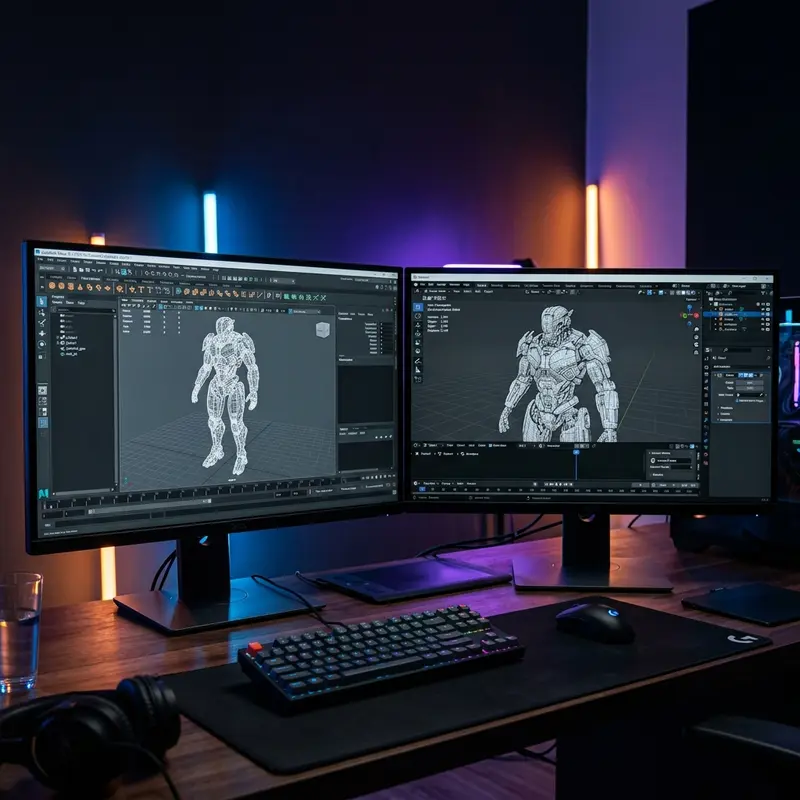
Ask ten different 3D artists whether you should learn Autodesk Maya or Blender, and you will likely get ten different, highly passionate arguments. For anyone starting a professional 3D animation course in Delhi NCR, making the wrong software bet can feel like a costly mistake. Let's look past the internet hype and analyze the production realities of both tools in 2026.
The Battle of 3D Modeling and Animation Tools
3D production is not just about drawing or moving shapes on a screen. It is an intricate web of polygon modeling, skeletal rigging, keyframe interpolation, look development, dynamics simulation, and final rendering. Both Autodesk Maya and Blender are absolute powerhouses capable of handling this entire pipeline. However, their histories, business models, and core philosophies have shaped them into very different tools designed for different types of creators.
Autodesk Maya is a commercial software package that has served as the backbone of the global animation and visual effects industry for over two decades. It is expensive, complex, and deeply integrated into the workflows of every major Hollywood studio. Blender, conversely, is a free and open-source project. Over the past five years, backed by public funding and development support from tech giants like Epic Games, Microsoft, and Ubisoft, Blender has evolved from a hobbyist program into a professional-grade suite that dominates the freelance, indie game, and architectural visualization markets.
Detailed Software Comparison
To understand which tool fits your career goals, we must look at how they perform in individual production stages.
1. Skeletal Rigging and Character Animation
If your ultimate goal is to become a character animator, the software's rigging system and viewport performance are your primary concerns. Rigging is the process of building a digital skeleton for a 3D character, setting up controls, and defining how muscles and skin deform when the skeleton moves.
This is where Autodesk Maya remains the undisputed king. Maya's rigging toolset is extremely deep, features highly robust skin weights systems, and leverages Parallel Rig Evaluation to offload complex calculations to your GPU. This means that even with a character model containing millions of polygons and complex facial rigs, Maya's viewport can play back the animation at a clean, real-time 24 frames per second. Features like HumanIK make character setup highly predictable, while the Graph Editor offers unmatched precision for tweaking animation curves.
Blender has made massive strides here with its built-in tool, Rigify, which allows users to generate complex human or animal rigs in a single click. Blender's armature system is highly intuitive, making it a favorite for game developers who need to quickly export FBX files to Unity or Unreal Engine. Additionally, Blender's unique Grease Pencil tool allows artists to draw 2D animation directly within a 3D space, opening up hybrid styles seen in films like Spider-Man: Into the Spider-Verse. However, when handling highly complex, photo-realistic character rigs with complex hair, cloth, and muscle physics, Blender's viewport performance can still struggle compared to Maya.
2. Modeling and Sculpting
Modeling is the process of creating the raw geometry of an object. Here, the two softwares take very different paths. Maya focuses on highly clean, procedural, and subdivision surface modeling, which is ideal for hard-surface models like cars, weapons, and architectural assets. However, for organic shapes (like creatures or faces), artists typically sculpt them first.
Blender features a complete, built-in Sculpt Mode with dynamic topology (Dyntopo) and multi-resolution sculpting. This allows you to sit down with a digital tablet and sculpt a high-polygon monster or character head directly in the software, without needing to buy a secondary program like Pixologic ZBrush. While Maya does have sculpting tools, they are widely considered secondary, and most Maya pipelines assume that sculpting will be done in ZBrush and imported back for clean-up (retopology).
3. Rendering and Shading
Rendering is the final step where the computer calculates lighting, materials, and textures to output a final image or video. Maya comes bundled with Arnold, a world-class, unbiased CPU/GPU path-tracer. Arnold is famous for handling massive, cinematic scenes with millions of light sources and atmospheric effects. It is incredibly stable but requires high computing power and can take a long time to render clean frames.
Blender features two main rendering engines: Cycles and Eevee. Cycles is a high-performance path tracer that has been completely rebuilt (Cycles X) to run extremely fast on modern GPUs, producing photorealistic results that rival Arnold. Eevee is a real-time rasterizing render engine (similar to a video game engine). It allows you to see final lighting, shadows, and reflections instantly in your viewport as you work. This real-time preview completely changes the speed of look development, saving freelance artists hundreds of hours of test-render times.
The Pipeline Reality: The biggest reason Maya dominates the industry isn't just its features—it is the open architecture. Studios build custom Python scripts, tools, and asset managers that sit on top of Maya. A VFX studio like DNEG or MPC uses Maya as a customizable engine. Blender is improving its API, but replacing a 20-year-old custom studio pipeline is a multi-million dollar risk that large companies are slow to take.
Maya vs Blender Comparison Matrix
| Attribute | Autodesk Maya | Blender |
|---|---|---|
| Pricing Model | Paid Subscription (Approx. ₹1,80,000/year per user) | 100% Free and Open-Source (GPL License) |
| Character Rigging | Industry standard, unmatched viewport speed on heavy rigs | Intuitive, great for game engines, lacks heavy optimization |
| Sculpting Workflow | Basic. Relies on ZBrush for production sculpting | Excellent. Built-in brush engine, dynamic topology |
| API & Scripting | Python, PySide, and MEL. Built for custom pipelines | Python-based, great API, but less stable for massive pipelines |
| Typical Studio Roles | AAA Film Animator, VFX Artist, Studio Character Modeler | Indie Game Developer, Generalist, Product Designer, Freelancer |
NCR Studio Realities and Career Paths
If you live in Delhi, Noida, or Ghaziabad and want to build a stable career in the animation industry, you need to understand the local hiring landscape. Delhi NCR is home to a growing number of animation houses, gaming studios, and e-learning companies. Major production hubs in Noida Sectors 62, 63, and Gurugram rely on structured pipelines to deliver work for international clients.
For large-scale studios like Prana Studios, DNEG, Cosmos-Maya, and Red Chillies VFX, the pipeline is locked into Autodesk Maya. Hiring managers at these studios look for artists who specialize in one role: you are either a Modeler, a Rigger, a Lighting Artist, or an Animator. They expect you to understand how to work with Maya, export USD (Universal Scene Description) assets, and integrate into their database managers.
A junior animator or modeler starting at a Delhi NCR studio can expect an entry-level salary of ₹25,000 to ₹40,000 per month. As you build your portfolio and move up to mid-level and senior roles (Lead Animator or Technical Director), salaries can easily scale to ₹75,000 to ₹1,500,000+ per month. For these high-paying roles, knowledge of Maya's scripting and pipeline mechanics is usually mandatory.
However, if you want to work as a generalist in a boutique advertising agency in South Delhi, or join a growing indie game startup in Gurgaon, Blender is highly valued. These smaller companies cannot afford expensive Autodesk licensing fees and prefer artists who can handle the entire project—sculpting, texturing, animating, and rendering—in a single, free software package. Freelancing is another area where Blender dominates. Since you don't have overhead licensing costs, you can price your services competitively and keep 100% of your earnings.
Making the Right Choice: The Learning Pathway
So, which should you learn in 2026? The answer depends entirely on your target career path:
- Choose Maya if you want to work on large-scale feature films, international television series, and visual effects blockbusters at major studios. It is the gatekeeper software for high-end studio employment.
- Choose Blender if you are an independent creator, want to launch a freelance business, design assets for indie games on Unity/Unreal Engine, or work as a generalist in creative ad agencies.
The best approach for a modern 3D artist is to learn both, but specialize in one. Understanding the interface and limitations of both programs makes you incredibly versatile. At MAAC Delhi NCR, our professional animation courses are built around industry-standard tools. We teach Autodesk Maya as the core pipeline software, while also training you in companion tools like ZBrush and Substance Painter, ensuring that when you step out of our labs, you are fully ready to pass any studio test in Noida, Delhi, or Gurgaon.
Start Your 3D Animation Career
Master character modeling, rigging, keyframe animation, and look development in Maya. Check details for our 3D Animation Course or speak to a career mentor.